C2PA
Who signed it, and what they did
Content Credentials name the tool that signed the file and list actions such as “created” or “edited”, with the digital source type.
AI metadata checker · free · read-only
See every field in your file, which ones are AI-related, and why a platform might label it. Nothing is uploaded or changed.
Drop a file to check
or paste with ⌘V · up to 50 files at once
Processed in your browser. Files never leave your device.
01
Each row is one piece of data found in the file. Orange marks the parts platforms treat as AI signals.
C2PA
Content Credentials name the tool that signed the file and list actions such as “created” or “edited”, with the digital source type.
IPTC · XMP
DigitalSourceType = trainedAlgorithmicMedia means “AI-generated”; compositeWithTrainedAlgorithmicMedia means “edited with AI”.
EXIF · GPS
Exact coordinates of where the photo was taken. Not an AI signal, but often the most private thing in the file.
EXIF
Make, model, lens, serial numbers and settings. A camera’s own C2PA signature shows the photo is real, not AI.
02
The report reads the Content Credentials inside the file; the panel next to it explains what Instagram, LinkedIn, TikTok and YouTube do with them.
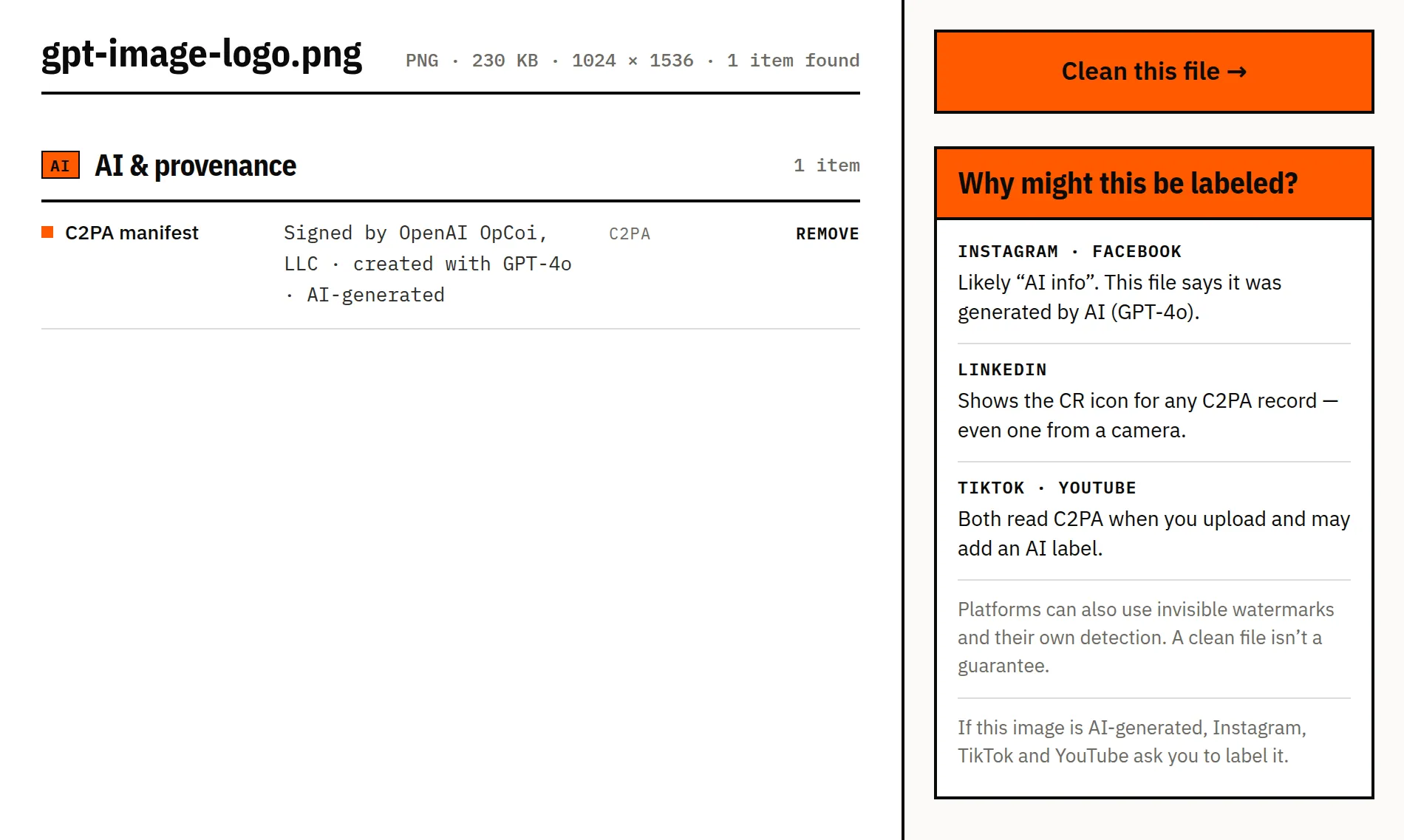
Sample: logo_generation_1_gpt-image-2.png from the OpenAI Cookbook (MIT). Screenshot of this tool, unretouched.
03
Instagram, Facebook, Threads: Meta reads the AI markers in C2PA and IPTC and can add an “AI info” label. It also uses its own detection (Meta).
LinkedIn: has adopted the C2PA standard and shows the CR icon on content that carries Content Credentials — including camera-signed photos (LinkedIn Help).
TikTok: automatically labels AI-generated content uploaded from other platforms when its Content Credentials say so (TikTok).
YouTube: may add an AI label automatically to videos that contain C2PA metadata, and creators can’t adjust a label applied that way (YouTube Help).
Google Merchant Center: requires images made with generative AI to keep metadata such as the IPTC trainedAlgorithmicMedia tag — don’t clean product images you list there (Merchant Center Help).
Some cameras and phones sign photos when they’re taken — Leica, Nikon and Google Pixel 10 among them — and apps such as Truepic do the same. Their Content Credentials say the picture was captured, not generated, and the checker marks them as camera credentials. They often contain the GPS position and camera model as well; because a signed record can’t be edited, removing those means removing the whole record, and the report tells you so.
We clean what's written in the file. Some signals live somewhere else — and we'd rather tell you than oversell.
They're part of the picture. Removing them means editing pixels, which we never do.
Some AI tools hide a signal inside the pixels themselves. It survives metadata removal.
Instagram, TikTok and YouTube can also use their own models, so a clean file isn't a guarantee.
If an image is AI-generated, Instagram, TikTok and YouTube ask you to label it. Cleaning metadata doesn't change that.
Drop it above. The report lists every field we find, marks the AI-related ones in orange and explains which platforms read them. Nothing is uploaded or changed.
Editing tools such as Lightroom’s AI Denoise or Photoshop’s Generative Fill can write an AI edit into the file’s Content Credentials or IPTC tags. Meta reads those and may add the label even though the photo is real.
LinkedIn shows the CR (Content Credentials) icon on images and videos signed with C2PA. It appears for camera-signed photos too, not only for AI.
No. The checker reads the data stored in the file. It does not analyse the picture itself, and it cannot see SynthID or other watermarks hidden in the pixels.
Last reviewed 17 November 2026, with real files from phones, cameras and AI tools · How we test